
Signed PDF certificate
A human-readable affidavit listing the certificate ID, certified subject, hashes, and the Ed25519 signature value.
A instantproof.legal certificate is a signed, timestamped package that binds a piece of digital content — a file, a web page, or a controlled browser session — to a specific moment in time. The certificate is a PDF, but the real evidence sits in the cryptographic hashes, RFC 3161 timestamps, and the Ed25519 signature bundled alongside it.

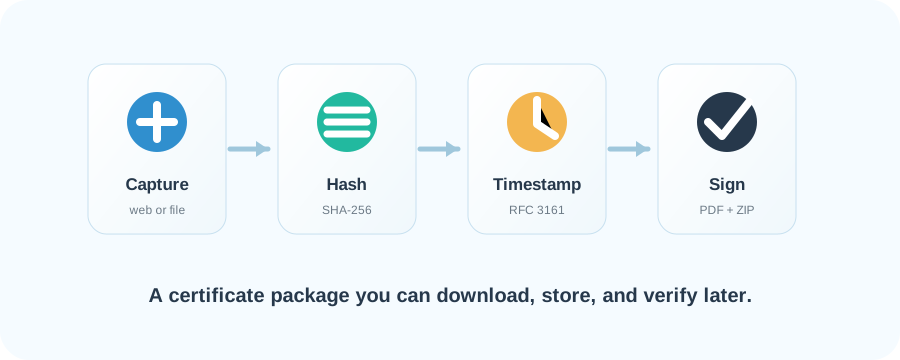
Every instantproof.legal certificate goes through the same five steps. Each step leaves an artifact that ends up inside the metadata ZIP shipped with the PDF.
Each download ships a PDF certificate plus a metadata ZIP. Together they contain everything an independent third party needs to re-verify your evidence.
A human-readable affidavit listing the certificate ID, certified subject, hashes, and the Ed25519 signature value.
Bundles every supporting artifact: manifest, signature, public key, hashes, timestamps, and network log.
For browser sessions, the HAR log of requests issued during the recorded session.
For browser sessions, the screen recording of the controlled session in WebM, MP4, or MKV.
One .sha file per signed artifact, recording its SHA-256 digest in hex.
Matching .tsq request and .tsr response files from an RFC 3161 timestamp authority.
A screenshot is a picture. A certificate is a chain of cryptographic facts: hashes prove the content has not changed, an Ed25519 signature binds those hashes to this service, and an RFC 3161 timestamp anchors them to a specific moment in time — verifiable by anyone, even after the original content is gone.
Anyone can upload a instantproof.legal PDF and have its signature re-checked on this site. No account, no login — just the file.
The verifier returns one of three outcomes. No legal opinion — just whether the cryptographic chain holds.
Verify an existing certificate on the public verifier, or sign in to your dashboard to create a new one.